Python and Github Actions
We have learned how to write tests for our Python code. Now, we will learn how to automate the testing process using GitHub Actions.
To read more about GitHub Actions, visit the official documentation.
Setting up GitHub Actions for Python
To set up GitHub Actions for Python, we need to create a new file in the .github/workflows/ directory of our repository. This file will contain the configuration for the GitHub Actions workflow. If this directory does not exist, create it.
Basics
GitHub Actions workflows are defined in YAML files with a .yml extension.
Here is an example of a simple GitHub Actions workflow configuration executing a simple echo command:
# python github action examplename: Simple GitHub Action Examplerun-name: ${{ github.actor }} is testing out GitHub Actions 🚀on: [push]jobs: Explore-GitHub-Actions: runs-on: ubuntu-latest steps: - run: echo "🎉 The job was automatically triggered by a ${{ github.event_name }} event."As configured, this workflow will run on every push event to the repository. The job will run on an ubuntu-latest runner and execute a single step that echoes a message.
Python Actions
In GitHub Actions, we can either use pre-defined actions or create custom actions with custom script execution, as before with the echo command.
As mentioned, GitHub also provides a set of pre-defined actions that can be used in workflows and act as starting point.
We configure this workflow to trigger on pushes to main or in pull requests to main. The workflow will run on an ubuntu-latest runner and execute the following steps:
First, we can use the actions/checkout action to check out the repository code.
For Python specifically, we can use the actions/setup-python action to set up the Python environment, i.e. install Python with a specific version.
Next up, we want to install the dependencies of our Python project. This can be done manually as step by running pip install commands. In the below configuration, we install flake8 and pytest as well as any dependencies listed in a requirements.txt file if present.
Finally, we can run steps to lint and test our code with flake8 and pytest respectively.
# This workflow will install Python dependencies, run tests and lint with a single version of Python# For more information see: https://docs.github.com/en/actions/automating-builds-and-tests/building-and-testing-python
name: Python application
on:  push:    branches: [ "main" ]  pull_request:    branches: [ "main" ]
permissions:  contents: read
jobs:  build:
    runs-on: ubuntu-latest
    steps:    - uses: actions/checkout@v4    - name: Set up Python      uses: actions/setup-python@v3      with:        python-version: "3.10"    - name: Install dependencies      run: |        python -m pip install --upgrade pip        pip install flake8 pytest        if [ -f requirements.txt ]; then pip install -r requirements.txt; fi    - name: Lint with flake8      run: |        # stop the build if there are Python syntax errors or undefined names        flake8 . --count --select=E9,F63,F7,F82 --show-source --statistics        # exit-zero treats all errors as warnings. The GitHub editor is 127 chars wide        flake8 . --count --exit-zero --max-complexity=10 --max-line-length=127 --statistics    - name: Test with pytest      run: |        pytest
You can create this configuration yourself in your repository, but can also click your ways thorugh the GitHub UI wihtin your repository to create this workflow file via the Actions tab and the Python application template.
If you now commit changes to the repository, you will see this GitHub Actions workflow being triggered and executed. You can view the logs and results of the workflow run in the Actions tab of your repository. See this example image: 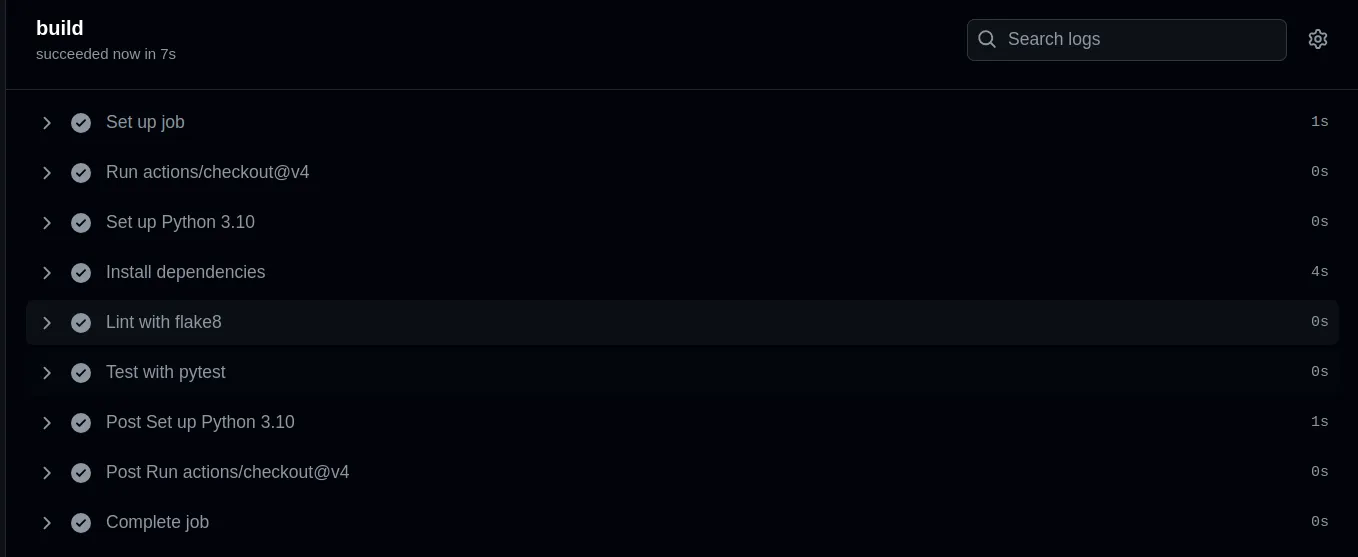 .
.